Law Firm Management Platform

SmartLawyerEverything a Lawyer Needs to Run the Office

An integrated cloud platform to organize cases, sessions, clients, consultations, tasks, documents, finances, and e-sign — from one secure bilingual workspace.

Cases & sessions Clients & consultations E-sign workflows Correspondence Multi-currency PDF reports
16+ legal workflows • Arabic & English • PDF reports
DashboardCase management
Unified workspaceCases • Consultations • E-sign • Reports
Unified case workspaceConsultation lifecycleCourt session calendarClient portal accessWord template automationSignNow e-signatureFinancial permissionsEnforcement proceduresAI legal assistantArabic & EnglishUnified case workspaceConsultation lifecycleCourt session calendarClient portal accessWord template automationSignNow e-signatureFinancial permissionsEnforcement proceduresAI legal assistantArabic & English
Watch the Platform

See SmartLawyer in Action

Watch how the system helps you manage cases, clients, sessions, tasks, correspondence, e-sign workflows, and reports from one place.

Modern interfaceArabic & EnglishBuilt for law firms
Why Go Digital?

One System That Cuts Chaos and Elevates Your Firm

SmartLawyer is not a law firm — it is legal tech that helps you organize daily legal work with clarity and confidence.

Cloud workspace for the whole firm

Replace scattered files and spreadsheets with one secure platform your team can access from office, court, or home.

Less chasing, more legal work

Sessions, tasks, correspondence, and payment status stay visible so lawyers spend time on cases — not on hunting updates.

Control who sees what

Financial permissions, client portal isolation, and role-based access protect sensitive case and fee data.

Decisions backed by numbers

Link revenues and costs to every case and consultation so partners know profitability before taking new work.

Digital Practice Guides

How Does Legal Practice Software Help Your Firm?

Practical guides to choosing law firm software and organizing matters, sessions and daily legal work.

Law Firm Management System

See which capabilities connect clients, matters, documents and finance in one platform.

Read the guide

Case and Session Management

Learn how parties, sessions, appeals, procedures and tasks stay inside the matter record.

Explore case management

Choosing Legal Practice Software

Review what makes cloud legal software different and how to select a plan for your practice.

Legal software guide
System Features

Every Tool a Lawyer Needs to Manage the Office

From daily dashboards to e-sign and multi-currency — real capabilities, not just marketing bullets.

Daily Operations

Run the firm from one dashboard

See cases, clients, revenue, sessions, and urgent work the moment you sign in.

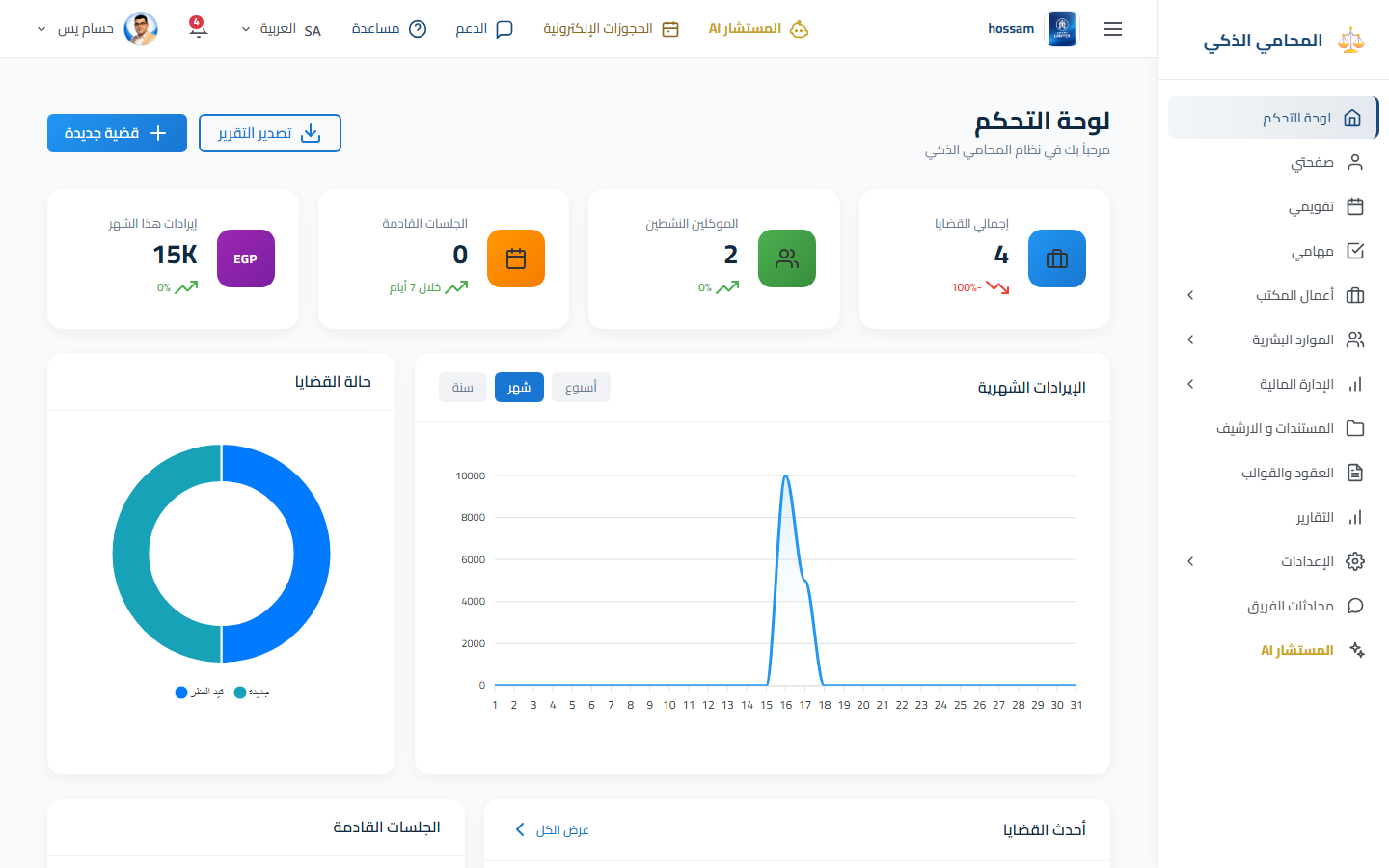
Smart Dashboard

KPI cards, revenue charts, recent cases, upcoming sessions, pending tasks, and quick actions.

KPIsChartsPDF export

Calendar & Tasks

Daily, weekly, and monthly calendar with case sessions, consultations, and unified task board.

SessionsDeadlinesOverdue alerts
Legal Work

Every case and consultation in one workspace

Tabbed workspaces connect parties, documents, sessions, correspondence, tasks, and finances.

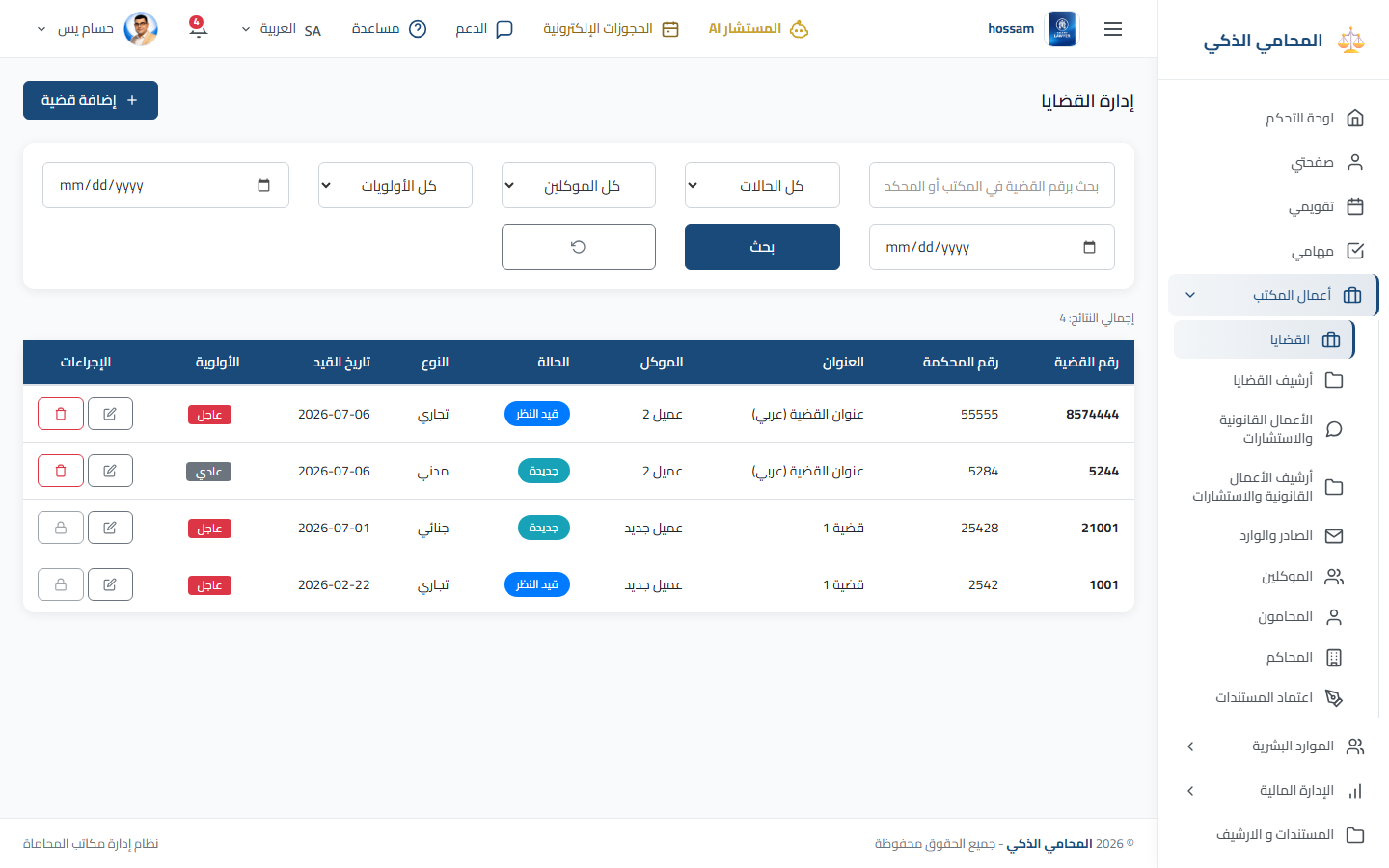
Cases Workspace

Full case lifecycle with parties, documents, sessions, strategy, appeals, revenues, and costs.

Tabbed editCourt sessionsCase PDF

Clients & Consultations

Client profiles linked to cases, consultations, balances, and printable account statements.

Client historyFeesPayment status

Incoming & Outgoing

Track office correspondence, attach files, and link records to cases or consultations.

Sader wa WaredAttachmentsCase link
Documents & Automation

Create, approve, and sign faster

Organize files, generate contracts from templates, and run manual or electronic approval flows.

Document Library

Folder tree for office-wide and case-specific documents with upload, preview, and download.

FoldersCase filesSecure storage

Word Templates

Reusable templates with auto-detected placeholders for clients, cases, dates, and lawyers.

Auto-fillPreviewGenerate PDF

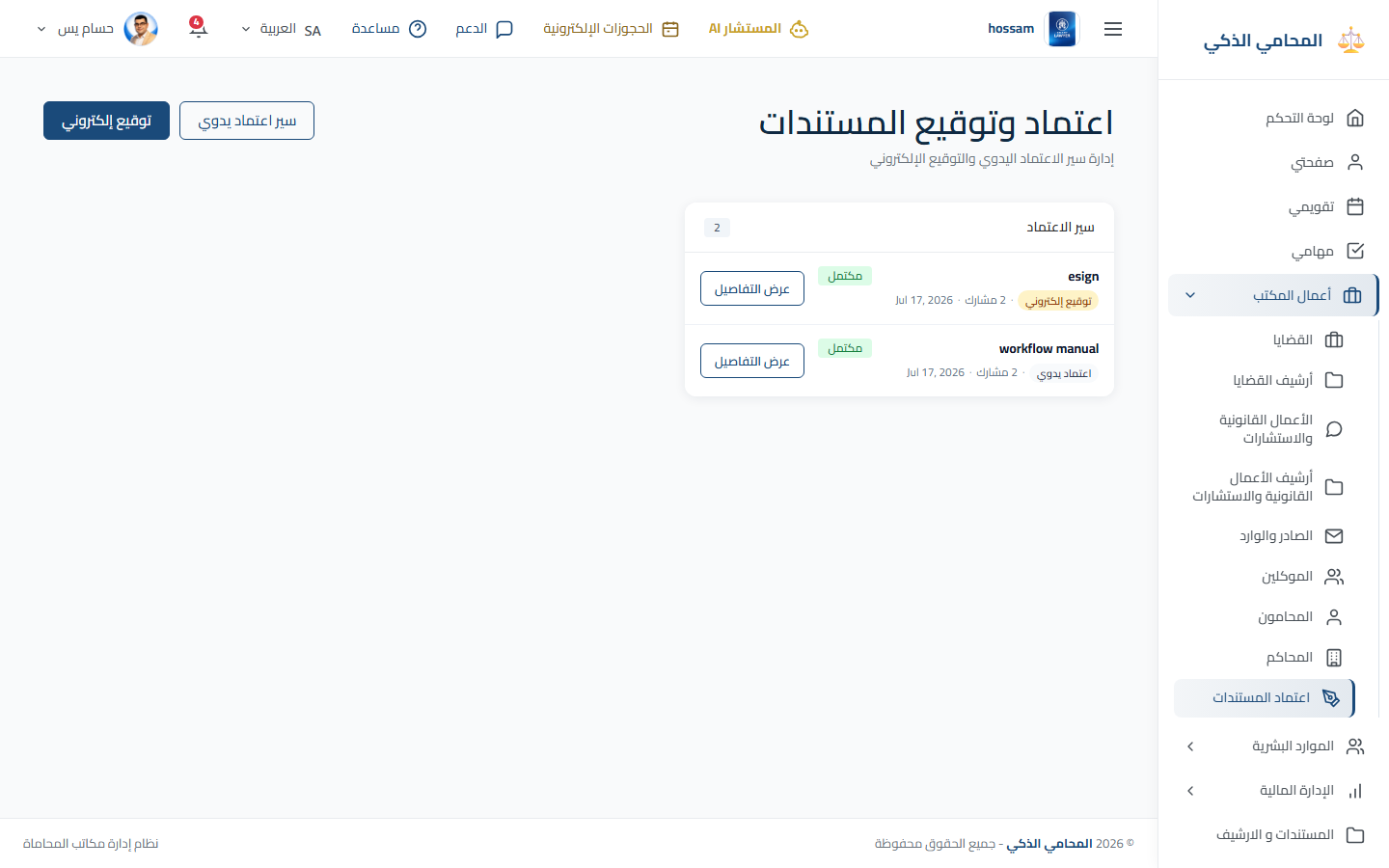
E-Sign & Approvals

Manual approval chains or SignNow electronic signature workflows with ordered participants.

SignNowWorkflow statusSigned PDF
Finance & Control

Financial visibility with permission control

Track revenues, costs, and office payments across currencies while controlling who sees what.

Payments & Costs

Case revenues, consultation fees, office expenses, recurring costs, and monthly summaries.

RevenuesOffice costsBalances

Multi-Currency

Enable currencies, set a base currency, and manage manual or global exchange rates.

EGPUSDExchange rates

Financial Permissions

Partners choose which lawyers and staff can view revenues, costs, dashboards, and reports.

Role controlHide costsPartner only
Reports & Client Access

Share progress and keep clients informed

Printable reports for management and a secure client portal for case visibility.

Reports & PDF

Case reports, consultation reports, task reports, office cost reports, and dashboard export.

Case PDFConsultation PDFCost reports

Client Portal

Clients sign in to view their cases, consultations, calendar events, and profile securely.

View-onlyClient loginTransparency
Inside the App

See Real App Screens

Screenshots from the live app — dashboard, case management, e-sign, and multi-currency settings.

Dashboard

Dashboard

Daily office overview with KPIs and charts.

Case management

Case management

Search, filter, and manage every active case.

E-sign workflows

E-sign workflows

Manual approval and SignNow e-signature.

Multi-currency

Multi-currency

Base currency and exchange rate settings.

From Chaos to Control

Turn Your Firm Into a Structured Legal Organization

When cases, consultations, documents, and finances live together, daily work gets easier, decisions get faster, and clients trust you more.

  • Stop losing documents in chat threads and email chains
  • Know every upcoming session before the client calls
  • Give clients transparency without repeating the same update
  • Track enforcement and appeals as clearly as first-instance cases
Session tomorrowCase 4521 — North Cairo Court
Overdue taskPrepare defense memo — assigned lawyer
Client balanceFees 25,000 — paid 15,000
Why SmartLawyer?

Practical Design for Lawyers and Firms

Built for Law Firms

Legal terminology, courts, sessions, case tabs, and lawyer assignments are native to the workflow.

Less Manual Follow-Up

Sessions, tasks, correspondence, and payment status stay visible without searching spreadsheets.

Arabic, English & RTL

Full bilingual interface with RTL and LTR layouts for every screen and printable report.

16+
Connected legal workflows
13
Deep feature areas
2
Arabic & English
24/7
Cloud access anywhere
Office Impact

Clearer Management, Faster Client Service

When cases, consultations, documents, and finances live in one place, daily work gets easier and decisions get faster.

Organized case work

Every case becomes a structured workspace instead of scattered files and notes.

Faster client service

Client history, consultations, balances, and documents stay connected in one profile.

Controlled finances

Multi-currency tracking and permission-based visibility for partners and staff.

How It Works

Three Steps to Start Your Digital Office

1

Configure the Office

Set time zone, currencies, offices, lawyers, employees, courts, and financial permissions.

2

Run Legal Work

Create clients, cases, consultations, sessions, correspondence, documents, and e-sign flows.

3

Measure and Improve

Use dashboards, financial summaries, and PDF reports to make faster decisions.

Testimonials

Firms That Chose Digital Organization

Lawyers and office managers describe how SmartLawyer changed the way they manage cases, clients, and finances.

"

Before SmartLawyer, follow-up meant searching folders, chats, and spreadsheets. Now every case, document, and payment lives in one workspace.

A
Ahmed Al-RashidSenior Partner, Al-Rashid Law Firm
"

Session calendars, task boards, and e-sign flows cut the daily chaos. Our team knows what is due today without endless phone calls.

F
Fatima HassanLegal Consultant
"

Financial permissions and multi-currency tracking gave partners real visibility — we price cases smarter and serve clients more professionally.

M
Mohammed IbrahimManaging Director
"

The client portal reduced repeated status calls. Clients feel informed, and lawyers win back hours every week.

S
Sara El-MasryOffice Manager
"

Before SmartLawyer, follow-up meant searching folders, chats, and spreadsheets. Now every case, document, and payment lives in one workspace.

A
Ahmed Al-RashidSenior Partner, Al-Rashid Law Firm
"

Session calendars, task boards, and e-sign flows cut the daily chaos. Our team knows what is due today without endless phone calls.

F
Fatima HassanLegal Consultant
"

Financial permissions and multi-currency tracking gave partners real visibility — we price cases smarter and serve clients more professionally.

M
Mohammed IbrahimManaging Director
"

The client portal reduced repeated status calls. Clients feel informed, and lawyers win back hours every week.

S
Sara El-MasryOffice Manager
Get Started

Transform Your Firm Into a Modern Digital Workspace

Start free with no credit card required